

Use case · Manufacturing
Interactive product diagrams that sell your catalog.
Turn technical renders, HVAC layouts, and exploded-view drawings into clickable product diagrams. Every part gets a label, a description, and a CTA.
Free forever plan · No credit card · Works in Wix, Webflow, WordPress, Shopify, Squarespace

Numbered callouts
Auto-number every hotspot to match a parts list, spec sheet, or install guide.
Spec-sheet CTAs
Add a CTA button to every hotspot so buyers can jump straight to the datasheet or quote form.
Categories
Group parts by system — mechanical, electrical, controls — and let visitors filter with one click.
What you get
- Great for HVAC, industrial, medical, and construction products
- Replaces static exploded-view PDFs
- Links every part to the exact spec or quote page
- Embeds on any product marketing site
- Update the diagram once — every embed updates too
What to put in each hotspot card
The temptation with a technical diagram is to paste the whole datasheet into every popup. It reads badly on a phone and buries the one thing the visitor came for. A four-line card works better: what the part is, its identifier, the one specification that matters at this stage, and where to go next.
| Field | Example | Why it earns the space |
|---|---|---|
| Title | Supply plenum | Names what the visitor is pointing at |
| Identifier | Part 40-2214 | Lets a contractor order or cross-reference it |
| Key spec | 24ga galvanized, 14" collar | Answers the qualifying question |
| Photo | Component shot | Confirms they're looking at the right thing |
| CTA | Datasheet / Request quote | Turns curiosity into a next step |
Where these diagrams get used
- Product marketing pages: one annotated render replaces six cropped screenshots with arrows drawn on them.
- Spec and submittal pages: engineers scan the diagram, click the part they care about, and land on its datasheet.
- Installation and service articles: numbered callouts match the manual step for step, so support can link "see callout 4" instead of describing a location.
- Distributor and rep portals: the same embed on a partner site always shows your current revision.
- Trade-show and sales follow-up: send a link instead of a 20MB PDF.
Preparing the source drawing
Export at 1600–2400px on the long edge, crop the title block and empty margin so the geometry fills the frame, and raise contrast on scanned or faint line work so it survives being scaled down on a phone. Flatten any CAD layer noise you don't need — the fewer hairlines in the export, the crisper the diagram reads at mobile widths. The same preparation advice applies to plans: see preparing a plan image.
Try it, then build yours
Turn a product image into a useful guide
Try the sample: select a dot to see how a component can explain itself. Switch to the phone layout to check how the same image scales.
- 1
Start with your image
Upload a clear product photo or diagram. Keep the complete image so visitors can understand where each part belongs.
- 2
Give each detail a purpose
Add new dot places a hotspot. In Content, name the part, explain what it does, and add a photo or a link to its specifications.
- 3
Publish and place it on your site
Preview the cards, publish, then choose Copy embed code. Paste the snippet into your website’s HTML or embed block.
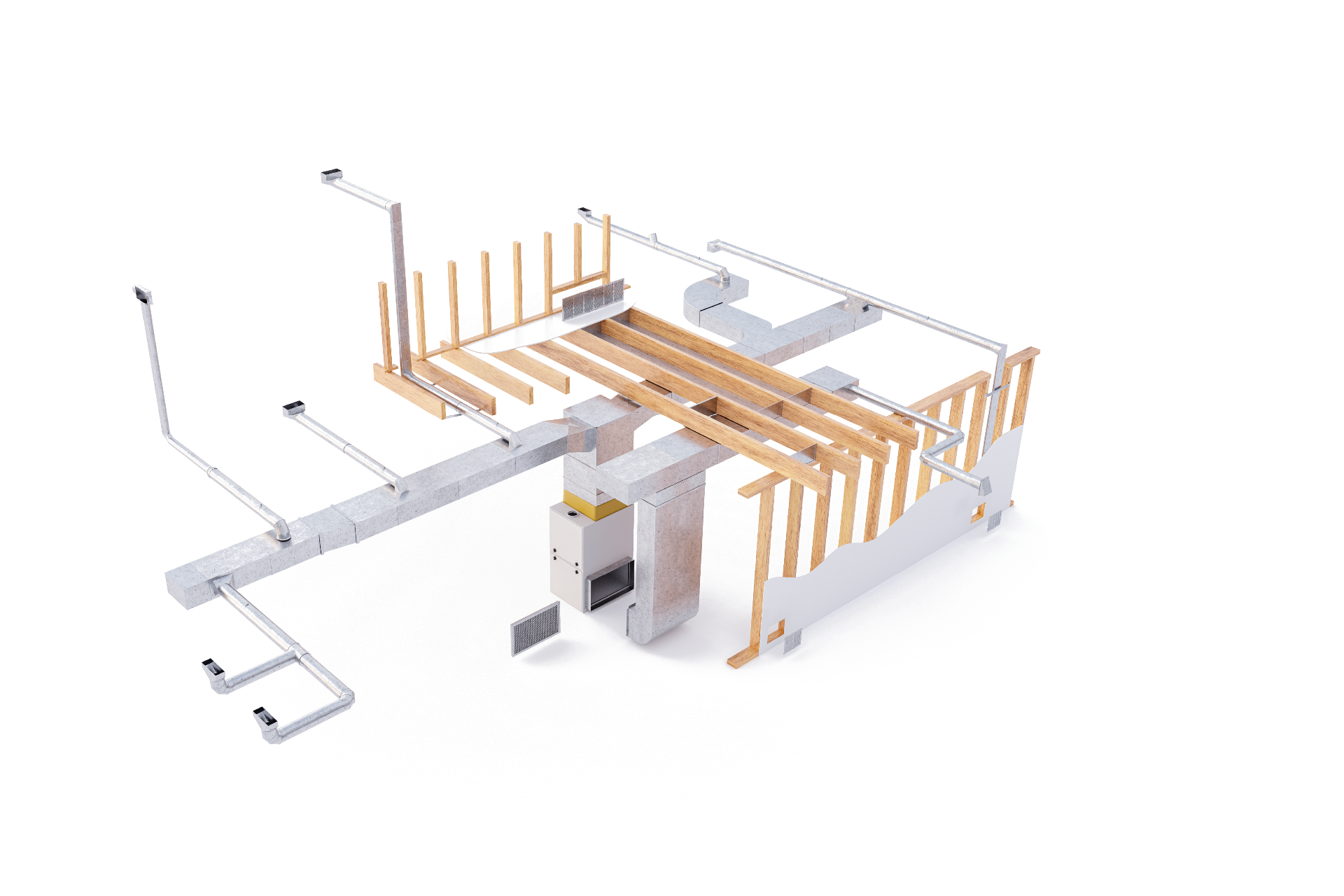
Before publishing: use descriptive titles, test every destination link, and tap each dot on a phone.
Continue exploring
Frequently asked questions
Who uses this?
Manufacturers building product marketing sites, HVAC and industrial equipment vendors, medical device brands, and construction product suppliers.
Can I show the same diagram in multiple languages?
Create one map per language and embed the matching iframe on each localised page. The artwork stays the same; only the hotspot copy changes.
Need it built for you?
Big maps, bulk hotspots, custom designs or integrations, built by our team at Upcode.
Turn any image into a guided experience.
Free forever plan. Paste one iframe into your site and ship.
Create your interactive image