

Use case · Manufacturing
Equipment diagrams that link straight to the part.
Label every component on a machine photo or schematic and connect it to a spec sheet, install guide, or replacement part order.
Free forever plan · No credit card · Works in Wix, Webflow, WordPress, Shopify, Squarespace

Numbered part callouts
Match hotspot numbers to an existing parts list so customers and technicians reference the same numbering system.
Direct-to-spec links
Each hotspot's CTA can jump to a datasheet PDF, an install video, or a replacement part's order page.
Photo or CAD render
Works equally well on a photograph of the physical unit or an exported CAD exploded view.
What you get
- Replaces static exploded-view PDFs on product pages
- Link parts to spec sheets, manuals, or order forms
- Works for CAD renders and real equipment photos alike
- Useful for internal maintenance docs, not just marketing pages
- Numbered hotspots can match an existing parts list
- Update the diagram once — every embedded page reflects it
What to put in each part's hotspot
| Field | Example | Why it's there |
|---|---|---|
| Part number | Assy 40-2214 | Matches the parts list line item |
| Key spec | Rated 480V / 15A | Answers the qualifying question before a call |
| Photo | Close-up component shot | Confirms it's the right part before ordering |
| CTA | Datasheet / Order replacement | Sends the click somewhere useful |
From schematic to clickable diagram
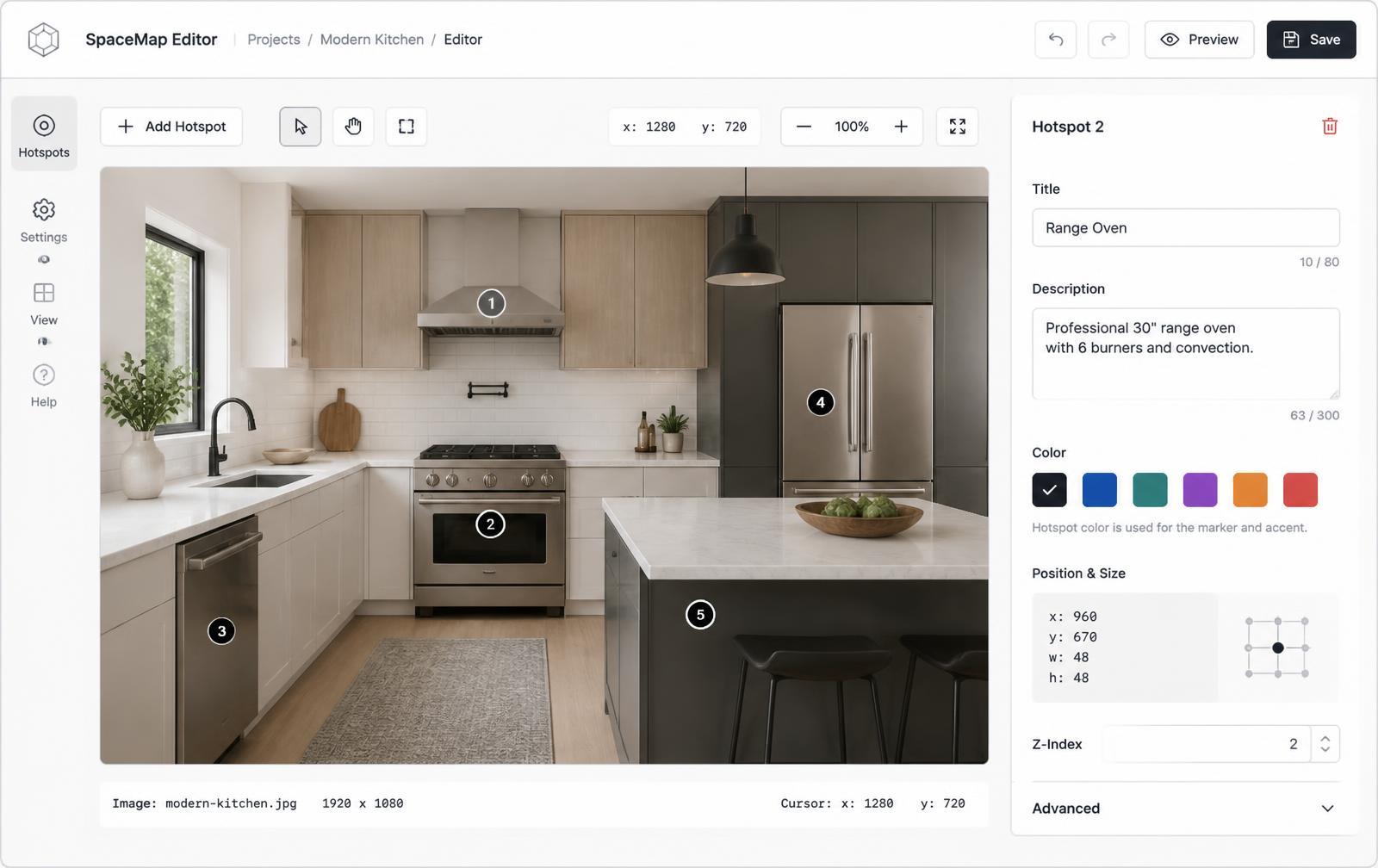
- Upload the equipment photo or exported CAD render to Interactive Image.
- Place a hotspot on each component, numbering them to match your existing parts list if one exists.
- Attach a spec sheet link, install note, or order-page URL to each hotspot's CTA.
- Embed the diagram on your product page, distributor portal, or internal documentation site.
- When a part number or spec changes, edit the hotspot instead of re-exporting the whole diagram.
Where these diagrams live
- Product and spec/submittal pages: engineers click the part they need and land on its datasheet.
- Distributor and rep portals: the embed always shows your current revision.
- Internal maintenance wikis: technicians click a part and jump to its procedure.
- Support articles: "see the diagram" replaces a paragraph of location description.
Mobile tap behavior and accessibility on the shop floor
On a phone, each hotspot becomes a tap target and the popup opens as a full-width card rather than a hover tooltip that doesn't exist on touch — see hotspot alignment on mobile for how positioning adapts to smaller screens. Hotspots are also keyboard-navigable with alt text on each marker, so a technician using assistive tech can tab through the same information — details in image map accessibility.

Keeping the page indexable with an iframe embed
Search engines don't crawl inside an iframe, so pair the embed with a short plain-text parts list or spec summary on the page itself — the same numbering used in the diagram works well as an on-page table. That gives the page something to rank for while the interactive diagram handles the actual click-through experience. It's a natural fit next to interactive product diagrams for buyer-facing pages, and works just as well pointed at an internal audience for maintenance and training material.
Continue exploring
Need it built for you?
Big maps, bulk hotspots, custom designs or integrations, built by our team at Upcode.
Turn any image into a guided experience.
Free forever plan. Paste one iframe into your site and ship.
Create your interactive image