

How do I make an image clickable in more than one place?
Add one clickable point per destination instead of writing separate markup per region. Each point carries its own title, description, optional photo and link, and the whole image ships as a single embed. Interactive Image's builder does the placement in the browser with no signup.
Turn any image into a clickable image.
Add hover cards, links, and buttons to any part of a photo, diagram, or product shot. Publish a responsive embed in five minutes.
Try the clickable image maker
Add an image, click where each clickable region goes, and write its card. Sign up free to publish it and drop the embed into your site.

This is a live demo — nothing here is published yet. Create a free account to publish your image and get a one-line embed code for Wix, Webflow, WordPress, Squarespace or plain HTML, with hosted images, images and video in the cards, CTA buttons and edits that go live instantly. Free includes 1 published image with the Interactive Image badge; Pro removes the badge and unlocks white-label embeds.
Free forever plan · No credit card · Works in Wix, Webflow, WordPress, Shopify, Squarespace
Clickable zones
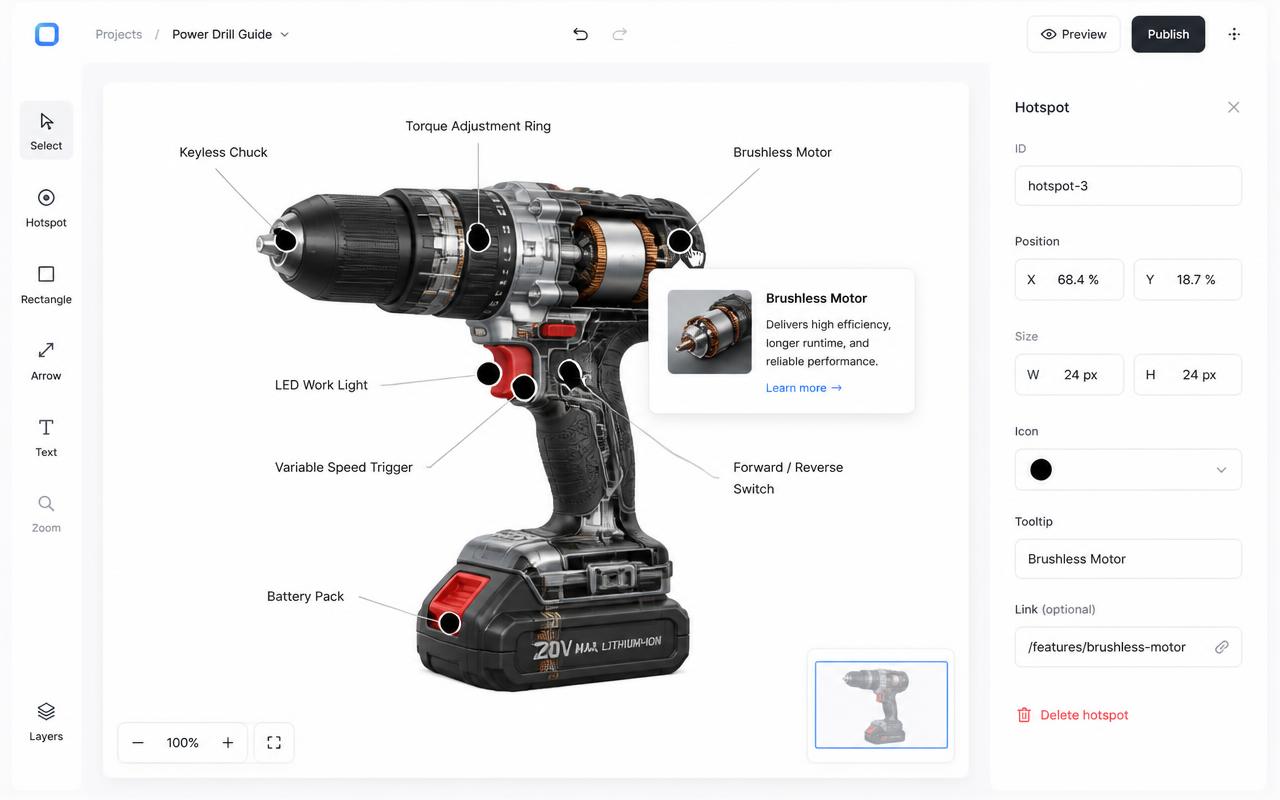
Place a hotspot on any pixel and turn it into a clickable region with a title, description, and link.
Per-hotspot CTA
Give each dot its own button and destination URL — great for shoppable images and product tours.
Responsive by default
Your clickable image works on every device. Nothing to configure, no separate mobile version.
What you get
- Per-hotspot CTA button, label, and link
- Optional image or video inside each popup
- Categories with filter chips
- Numbered, pin, or dot marker styles
- Custom colors per hotspot
- Free plan — no credit card
How to make a clickable image, step by step
- Upload your image. A photo, diagram, or screenshot in JPG, PNG, or WebP.
- Click each area you want clickable. That drops a hotspot marker at the exact point.
- Add a title, description, and link. The link can open the current tab or a new one.
- Publish and copy the iframe. Paste it into any page, CMS block, or embed field.
Hover cards vs click-to-open vs tap
A clickable image can reveal its card in three ways depending on device and the mode you pick:
| Mode | How it opens | Good for |
|---|---|---|
| Hover | Mouse enters the zone (desktop only) | Fast previews across many zones |
| Click | Mouse click (desktop) | Zones with a CTA button the visitor should read first |
| Tap | Touch (phone/tablet, automatic) | Every mobile visitor — no setup needed |
File types, sizes, and image quality
JPG, PNG, and WebP are all supported. A source image around 1200–2400px on the long edge gives clickable zones and popup thumbnails enough resolution to look sharp on retina screens without a slow upload. Very large camera-original files (10+ MB) just add upload time — resize before uploading if your camera or design tool exports at full resolution.
Mobile responsiveness
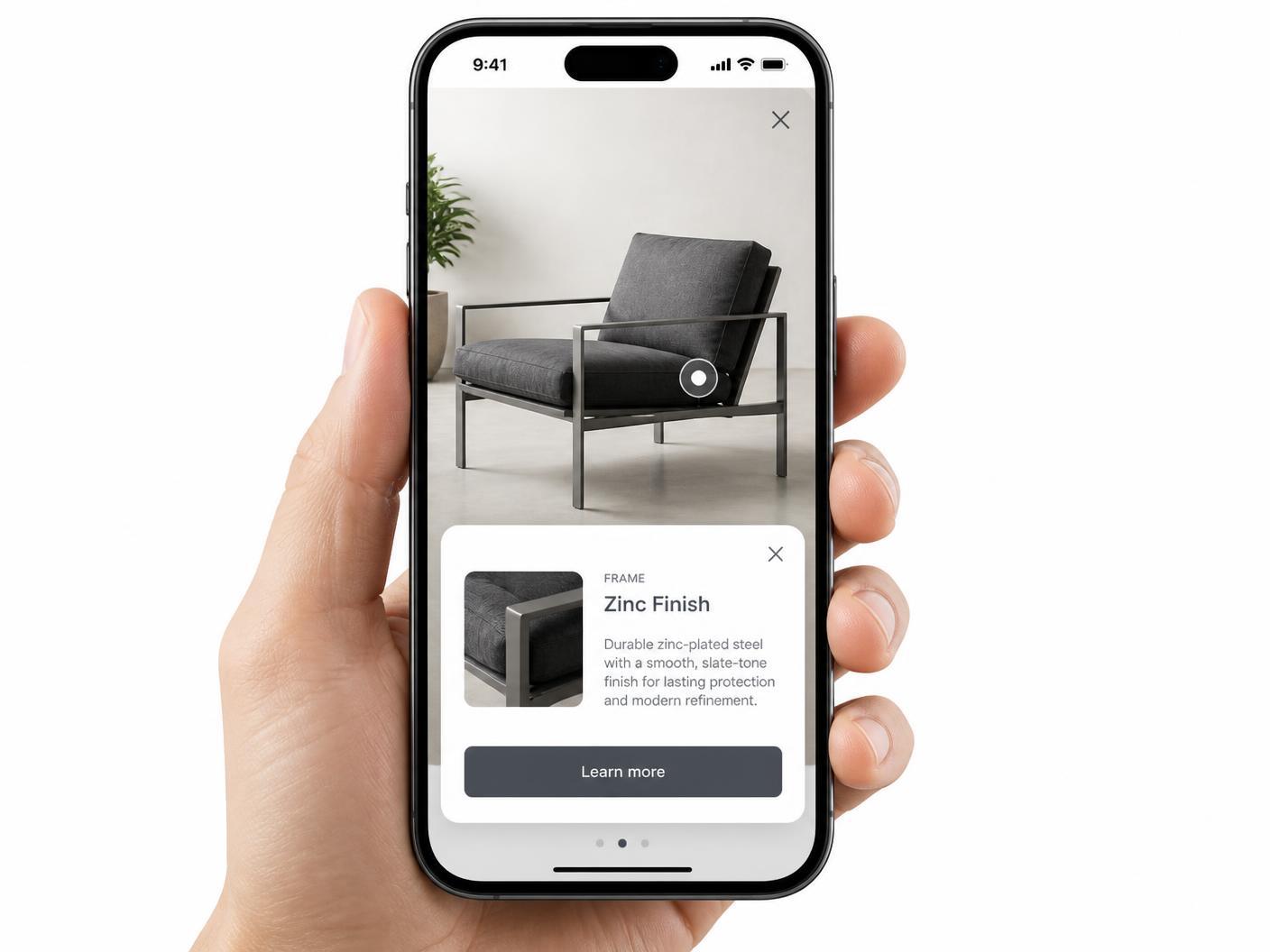
Clickable zones are stored as percentages of the image, so they track the photo at any width instead of drifting off position the way fixed-pixel HTML image maps do. On phones, a tapped zone opens a full-width card instead of a small floating tooltip, which keeps longer descriptions and CTA buttons easy to read and tap.
Accessibility and keyboard support
Clickable zones sit in the normal tab order, so a keyboard-only visitor can reach every zone with Tab, open it with Enter or Space, and dismiss it with Escape. Pair that with a descriptive alt text on the underlying image and short, specific hotspot titles — see accessible image maps for the full checklist.
SEO: does an embedded clickable image get indexed?
The clickable image lives inside an iframe, so the link and popup text inside it are not part of your page's own HTML for indexing purposes. That's neutral, not harmful — your page's real content still ranks on its own merits. Write descriptive text near the embed and use a proper alt attribute on the image so both users and search engines understand what it shows. More background in image map SEO.
Pricing and free plan limits
The free plan saves one map with a limited hotspot allowance, and shows a small watermark on the embed. Paid plans start at $9/month and remove the watermark — a common upgrade point once a clickable image ships on a client site or a public marketing page.
Frequently asked questions
Can I use the same clickable image on more than one page?
Yes. The iframe embed can be pasted on any page, and every place it appears stays in sync with the source.
Can I make different parts of the image go to different pages?
Yes. Each hotspot has its own CTA URL, and you can open it in a new tab or the current one.
What image types and sizes should I use?
JPG, PNG, and WebP all work well; aim for 1200–2400px on the long edge and a few megabytes at most.
Do clickable zones work with hover, click, or tap?
Choose hover or click on desktop; phones and tablets always use tap.
Is it responsive on mobile?
Yes, zones are positioned as percentages so they stay aligned at any screen width.
Can keyboard users activate the zones?
Yes, every zone is reachable with Tab and opens with Enter or Space.
How much does it cost?
Free with a watermark; Paid plans start at $9/month and remove it.
Need it built for you?
Big maps, bulk hotspots, custom designs or integrations, built by our team at Upcode.
Turn any image into a guided experience.
Free forever plan. Paste one iframe into your site and ship.
Create your interactive image