

What should I use instead of an HTML image map?
Use percentage-positioned hotspots rather than <map> and <area>. HTML image maps still work but use fixed pixels, so regions drift when the image scales, and an <area> can only be a link. Hotspots scale correctly and can open a card with text, media and a call to action.
HTML image map alternative
A modern alternative to HTML image maps.
Replace fragile map and area coordinates with responsive hotspots, styled info cards, and a single embed you can update any time.
Free forever plan · No credit card · Works in Wix, Webflow, WordPress, Shopify, Squarespace

No coordinate maintenance
Place markers visually and let percentage positioning handle responsive layouts.
More than links
Use popups with text, media, categories, and CTA buttons instead of invisible clickable shapes.
Cleaner publishing
Paste one iframe into your page instead of managing blocks of HTML map markup.
What you get
- Good for responsive sites
- Works with modern website builders
- Better for product diagrams and floor plans
- Editable after launch
- Popup cards and guided tours
- No JavaScript setup on your page
Why the classic <map>/<area> HTML image map struggles today
The <map> and <area> tags were designed in an era of fixed-width pages. An area's coords attribute is a literal set of pixel values measured against the image's natural size:
<img src="diagram.png" usemap="#m" width="1200" height="800">
<map name="m">
  <area shape="circle" coords="600,400,24" href="/valve" alt="Valve">
</map>
Add responsive CSS so the image scales to fit any screen, and the browser resizes the pixels it paints without touching coords. On a narrow phone the visible valve might sit at 195,130 on screen while the area still claims 600,400 — a point that's no longer on the picture. The full math is in the responsive image map generator.
Side-by-side: HTML image map vs a hosted hotspot embed
| Capability | <map>/<area> | Interactive Image embed |
|---|---|---|
| Responsive on resize | No — pixel coords don't rescale | Yes — percentage positioning |
| Popup content | None — link only, maybe a title attribute tooltip | Title, description, image, video, CTA |
| Touch / tap support | Inconsistent across mobile browsers | Built in — tap opens the card automatically |
| Keyboard access | Depends on manual tabindex/alt setup | Tab, Enter/Space, Escape by default |
| Editing after launch | Edit raw HTML and redeploy | Edit visually; every embed updates |
| Styling markers | Invisible by default; hard to show a visual marker | Dot, number, or pin styles with color overrides |
| Setup | Hand-written or generated markup on every page | One iframe pasted once |
Migrating an existing image map, step by step
- Upload the same image you used in the original
<map>. - Recreate each area as a hotspot. For a circle, click its center. For a rect or poly, click the center of its bounding box.
- Carry over the href as the hotspot's CTA URL, and optionally add a title and description the old markup couldn't show.
- Publish and swap the markup. Replace the
img + map + areablock with the single iframe snippet.
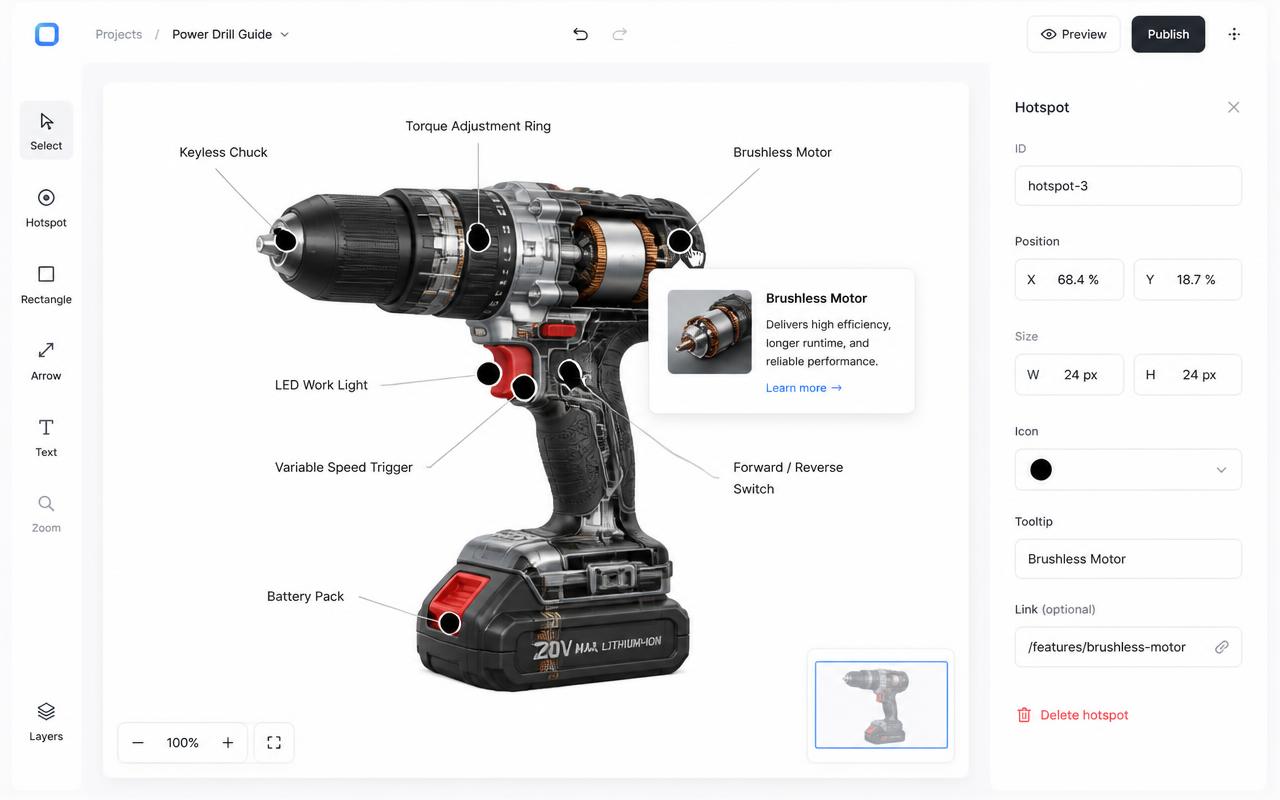
Hover, click, and tap behavior on the new hotspots
Legacy areas only ever responded to a click (or an unreliable hover-tooltip via the title attribute). Hotspots give you a choice on desktop — hover for fast previews, or click when you want a deliberate open — and automatically switch to tap on phones and tablets, since hover doesn't exist there.
File types, image sizing, and mobile responsiveness
Use the same JPG, PNG, or WebP file you'd have referenced in the old <img> tag — nothing about the source image needs to change. Aim for roughly 1200–2400px on the long edge so hotspot popups stay sharp. Unlike the original markup, the embed is responsive by default: hotspots hold their position at any width, and popups reflow into full-width cards on small screens.
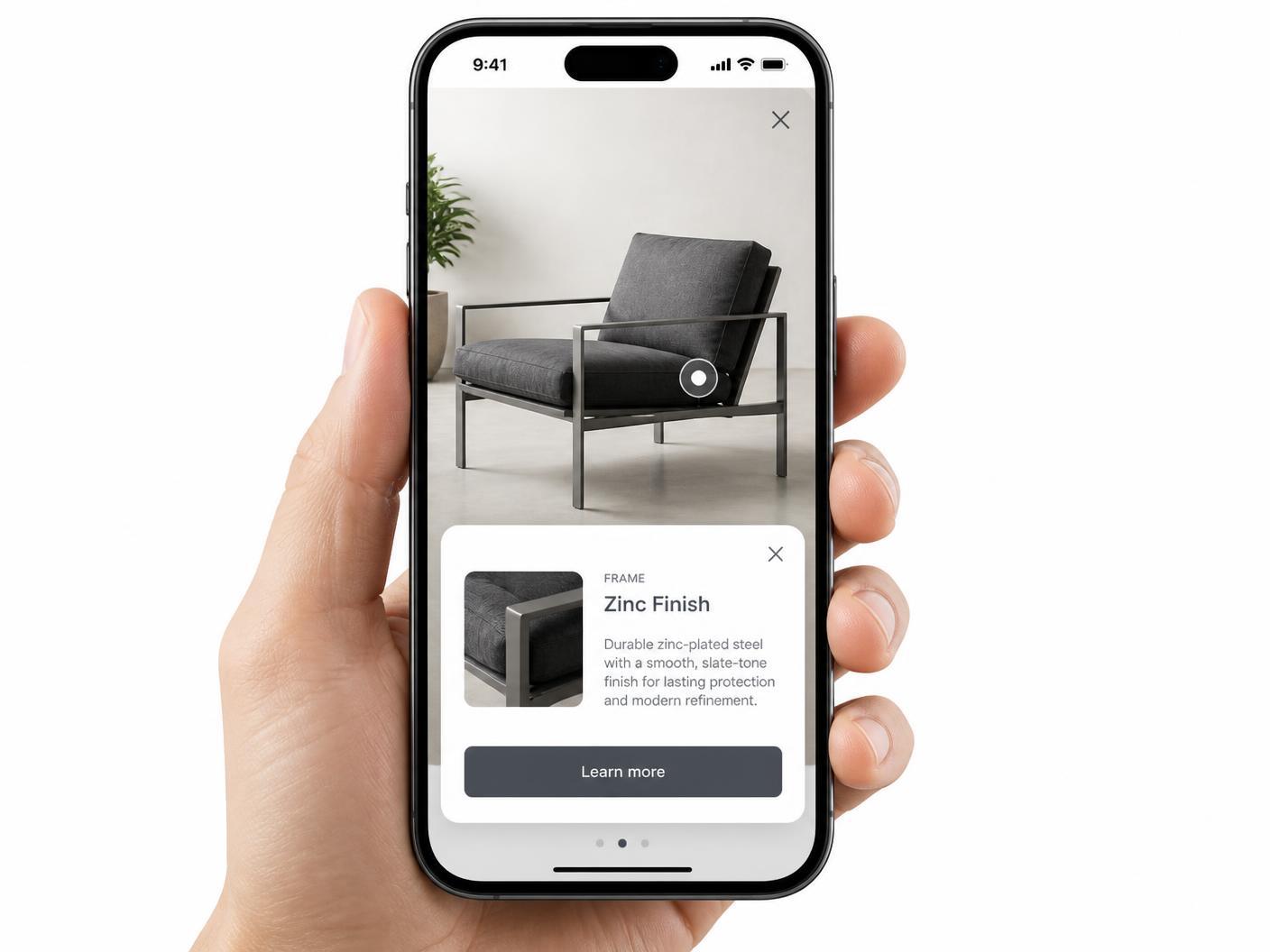
Accessibility and keyboard support compared
A well-built <area> needs a manual alt on every shape and relies on the browser's native focus order, which varies across browsers for overlapping shapes. Hotspots are consistently tab-focusable, open with Enter or Space, and close with Escape, with no per-shape accessibility markup to maintain. See accessible image maps for the full comparison.
SEO: what changes when you move from inline HTML to an iframe
Inline <area href> links are part of your page's own crawlable markup; an iframe embed's internal links are not. That doesn't lower your page's ranking — it means the interactive layer doesn't itself contribute indexable text. Compensate the same way good image map pages already should: descriptive alt text on the image, and real paragraph copy on the page explaining what the image shows. Details in image map SEO.
When to avoid raw image map HTML
Use a hosted hotspot embed when you need mobile responsiveness, popup content, visual marker styling, or ongoing edits by non-developers. Raw HTML image maps are still useful for simple fixed-size link regions, but they are not a great fit for polished interactive content.
Pricing
Migrating is free to try: one map with a limited hotspot allowance on the free plan, with a small watermark on the embed. Paid plans start at $9/month and remove the watermark once you're ready to publish the replacement for good.
Continue exploring
Frequently asked questions
Is this still SEO-friendly?
Yes. Keep descriptive text on the page around the embed, use a descriptive image alt text where the image appears, and let the interactive layer support the visible content.
Can I use it without coding?
Yes. You build the hotspots visually and copy one iframe.
Why do <area> coordinates break on responsive sites?
coords are fixed pixels of the image's natural size and don't rescale when CSS shrinks the image, so clickable areas drift off target.
What file types and sizes work for the replacement hotspots?
JPG, PNG, and WebP, ideally 1200–2400px on the long edge.
Do the new hotspots support hover, click, and tap?
Yes — hover or click on desktop, and automatic tap on touch devices.
Are hotspots keyboard accessible?
Yes, they're tab-focusable, open with Enter/Space, and close with Escape.
Does switching from <area> to an iframe change my SEO?
It changes where link text lives — keep descriptive page copy and alt text so the page stays fully indexable on its own.
What does it cost to switch?
Free to start, with a watermark; Paid plans start at $9/month and remove it.
Need it built for you?
Big maps, bulk hotspots, custom designs or integrations, built by our team at Upcode.
Turn any image into a guided experience.
Free forever plan. Paste one iframe into your site and ship.
Create your interactive image