
Try the interactive image editor
Use the sample or upload your own image. Add hotspots, edit their text, and preview marker and card styles without an account.
Playground mode: nothing is saved and demo edits do not transfer to your account.
Free forever plan · No credit card · Works in Wix, Webflow, WordPress, Shopify, Squarespace
Place with precision
Click or drag a marker onto the exact detail you want to explain.
Preview in context
Open popup cards directly on the image and see how the experience reads.
Publish when ready
Save the finished visual and use one responsive iframe on your site.
What you get
- Start with a photo, diagram, floor plan, or map image
- Use dots, numbers, pins, or plus markers
- Edit hotspot titles and descriptions in the demo
- Test hover, click, keyboard, and touch behavior
- Keep hotspot positions aligned as the image scales
- Create an account for media, links, saving, and publishing
What to try in the demo
Add a marker
Choose Add dot, click a meaningful part of the sample image, and drag the marker into position.
Open the card
Hover, focus, or tap the marker to see how the supporting content appears.
Try a different visual
Upload your own product photo, venue map, floor plan, or diagram.
Check the responsive result
Resize the page or test on a phone to confirm each hotspot stays attached.
From a quick test to a published embed
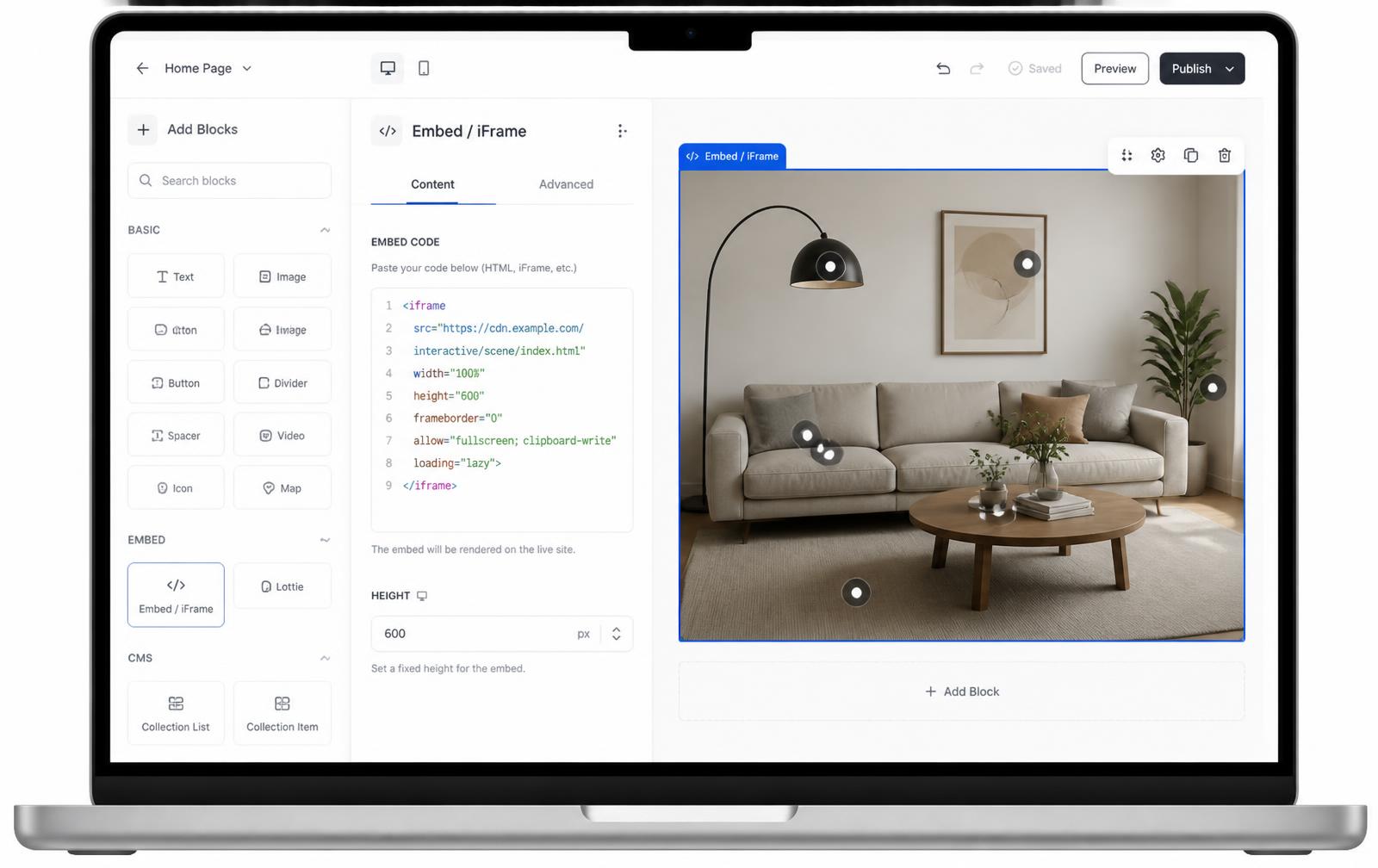
The demo is designed to answer the practical question: will this visual make sense when someone explores it? When you are ready, create an account and recreate your layout in the full editor; demo changes are not saved or transferred. Publishing your saved project gives you one iframe to paste into an HTML or embed block in Wix, Webflow, WordPress, Shopify, Squarespace, or custom HTML.
You can keep editing the project after it is embedded. The pages using the iframe receive the latest published version without rebuilding the surrounding website.
Continue exploring
Frequently asked questions
Is this a working editor?
Yes. Add a hotspot, drag it into position, edit its title and description, and try marker styles and popup appearance. Choose hover or click to preview how cards open.
Can I try my own image?
Yes. Use Image to select a photo, diagram, or floor plan from your device. The demo reads it locally in your browser.
Will my demo edits be saved?
No. Demo edits are temporary and are not transferred when you sign up. Create an account and build a saved project in the full editor to publish and embed it.
What does the full editor add?
The full editor saves projects and supports media and links in hotspot cards, publishing, and a responsive iframe embed. See the pricing page for current plan limits.
Need it built for you?
Big maps, bulk hotspots, custom designs or integrations, built by our team at Upcode.
Turn any image into a guided experience.
Free forever plan. Paste one iframe into your site and ship.
Create your interactive image