

Blog
Best Interactive Image Tools: An Honest Overview
There isn't one 'best' tool — there are categories, each built for a different job. Here's how to tell which one you actually need.
Free forever plan · No credit card · Works in Wix, Webflow, WordPress, Shopify, Squarespace
By Interactive Image · Updated
Evaluate both image maps and geographic maps
Interactive Image now offers Image map and Mapbox map as separate creation choices. The geographic builder includes address search, location import, visitor search and filters, clustering, and directions links. Both formats support typed dots with content-specific fields and an iframe publishing workflow. Compare these against your actual project needs; advanced GIS analysis, native checkout, and a learning management system are different requirements.
Start with the category, not the brand name
"Interactive image tool" covers a wide range of very different products. Before comparing specific vendors, it helps to know which category solves your actual problem. Broadly, there are four: native platform link tools, legacy HTML image maps, design or prototyping tools repurposed for interactivity, and dedicated hotspot/interactive-image builders. Each trades off ease of use, flexibility, and long-term maintainability differently.
Category 1: Native platform link tools
Most website builders and e-commerce platforms include a basic way to add one or two clickable regions to an image — a "shop the look" link on Shopify, a linked image element in Wix or Squarespace. These are convenient because there's nothing to install, but they're usually limited to simple links, don't support rich popups, video, or filtering, and are often pixel-based rather than responsive. They're a reasonable choice if you need exactly one or two links and nothing more.
Category 2: Legacy HTML image maps
The HTML <map> and <area> tags have existed since the 1990s and still work, but coordinates are defined in fixed pixels tied to one specific image size. Resize the image for mobile and the clickable regions drift away from what they're supposed to cover. There's no built-in way to add a popup, track clicks, or edit the map without hand-editing HTML. We cover this in depth in our HTML image map alternative guide — it's worth understanding before you invest time hand-coding one.
Category 3: Design and prototyping tools
Tools built for prototyping (wireframing and click-through mockup tools) can simulate hotspot interactions convincingly, which makes them useful for testing an idea with stakeholders before committing. They're generally not designed to be published as a lightweight, indexable, production embed on a live website — exporting or sharing a prototype link is a different workflow than shipping a fast, SEO-friendly page. Treat this category as a design step that precedes publishing, not a replacement for it.
Category 4: Dedicated interactive image / hotspot builders
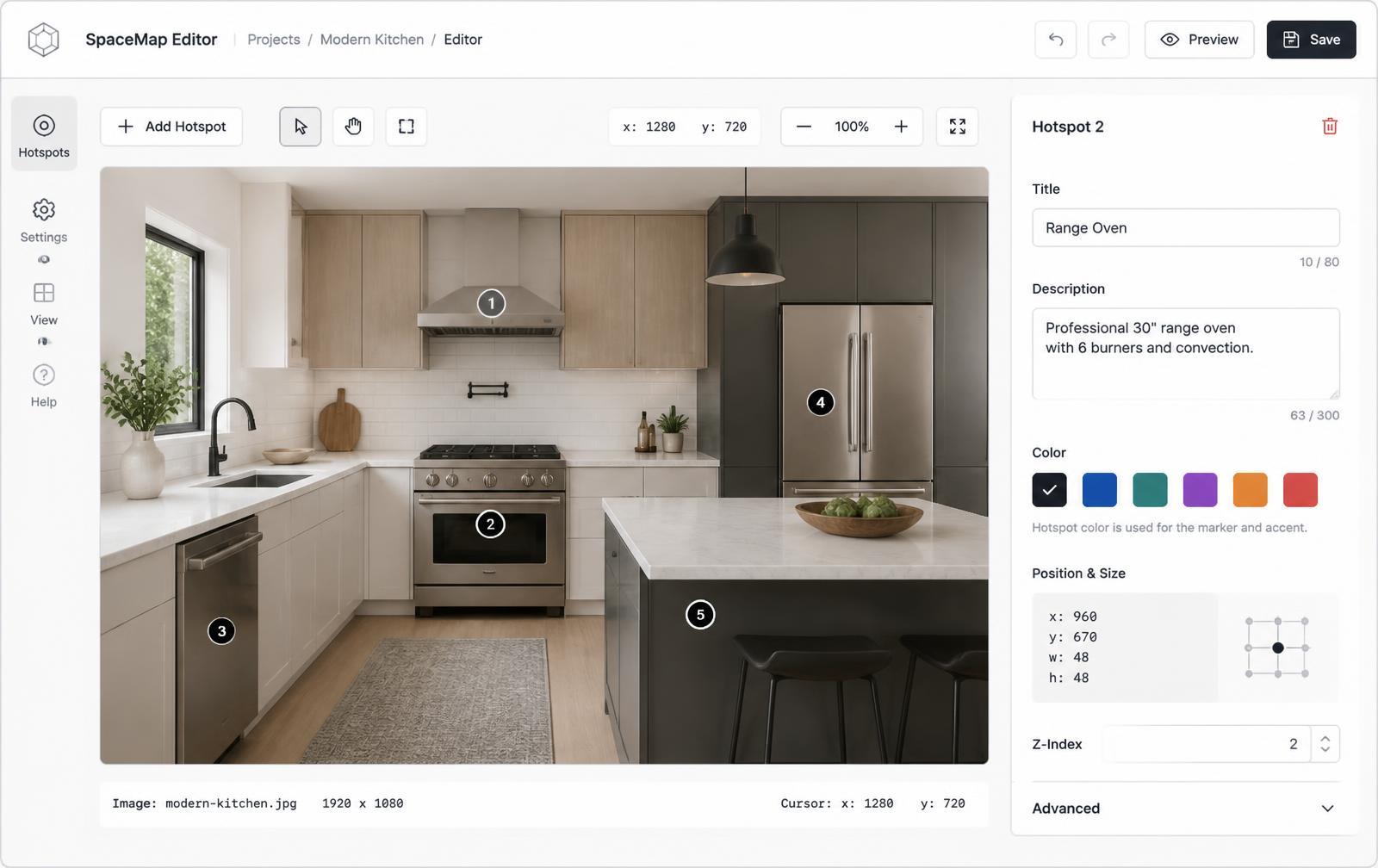
This category — where Interactive Image sits — is purpose-built for exactly one job: take any image, add clickable hotspots with rich popups (text, images, video, links, buy buttons), and embed the result on any site with a single iframe. The trade-off versus category 1 is a slightly bigger initial setup (uploading an image and placing hotspots); the payoff is percentage-based responsive positioning, editable content without redeploying your site, and support for use cases like shoppable product images, technical diagrams, and responsive image maps.
Selection criteria that actually matter
| Criterion | Why it matters |
|---|---|
| Percentage vs pixel positioning | Percentage hotspots stay accurate across screen sizes; pixel-based ones break on resize. |
| Install method | A single iframe embed works on almost any platform without a developer. |
| Popup content types | Text-only popups limit you; support for images, video, and links covers more use cases. |
| Post-publish editing | Can you fix a typo or price without re-exporting and re-embedding? |
| Crawlability | Does the tool encourage a real-HTML summary alongside the embed? See our image map SEO guide. |
Comparing options directly
If you're actively evaluating tools, our comparison hub covers Interactive Image against specific alternatives point by point. Beyond that, the most reliable way to compare any two tools is to build the same simple interactive image in each — a photo with three or four hotspots — and check the resulting embed on a phone. That single test usually surfaces the responsiveness and editing trade-offs faster than any feature list. You can also browse real, published examples in our examples gallery and the what is an interactive image primer if you're still deciding whether this format fits your use case at all.
Frequently asked questions
What's the difference between an image map and an interactive image?
A classic HTML image map uses fixed pixel coordinates baked into the page, which breaks on responsive layouts. An interactive image tool typically stores hotspots as percentages and lets you edit content without touching page code.
Should I use my website builder's native link tool or a dedicated hotspot tool?
Native tools are fine for one or two links. Once you need more hotspots, popup content, or analytics, a dedicated tool saves time and produces a better result.
Are design/prototyping tools a good fit for a published interactive image?
They're great for mocking up an idea, but most aren't built to be embedded as a lightweight, SEO-friendly production asset.
How do I evaluate a dedicated interactive image tool?
Check hotspot positioning method, embed simplicity, supported popup content types, and whether you can edit published content without re-exporting.
Need it built for you?
Big maps, bulk hotspots, custom designs or integrations, built by our team at Upcode.
Turn any image into a guided experience.
Free forever plan. Paste one iframe into your site and ship.
Create your interactive image