

Use case · Museums & galleries
Turn a gallery map or artwork into something visitors explore.
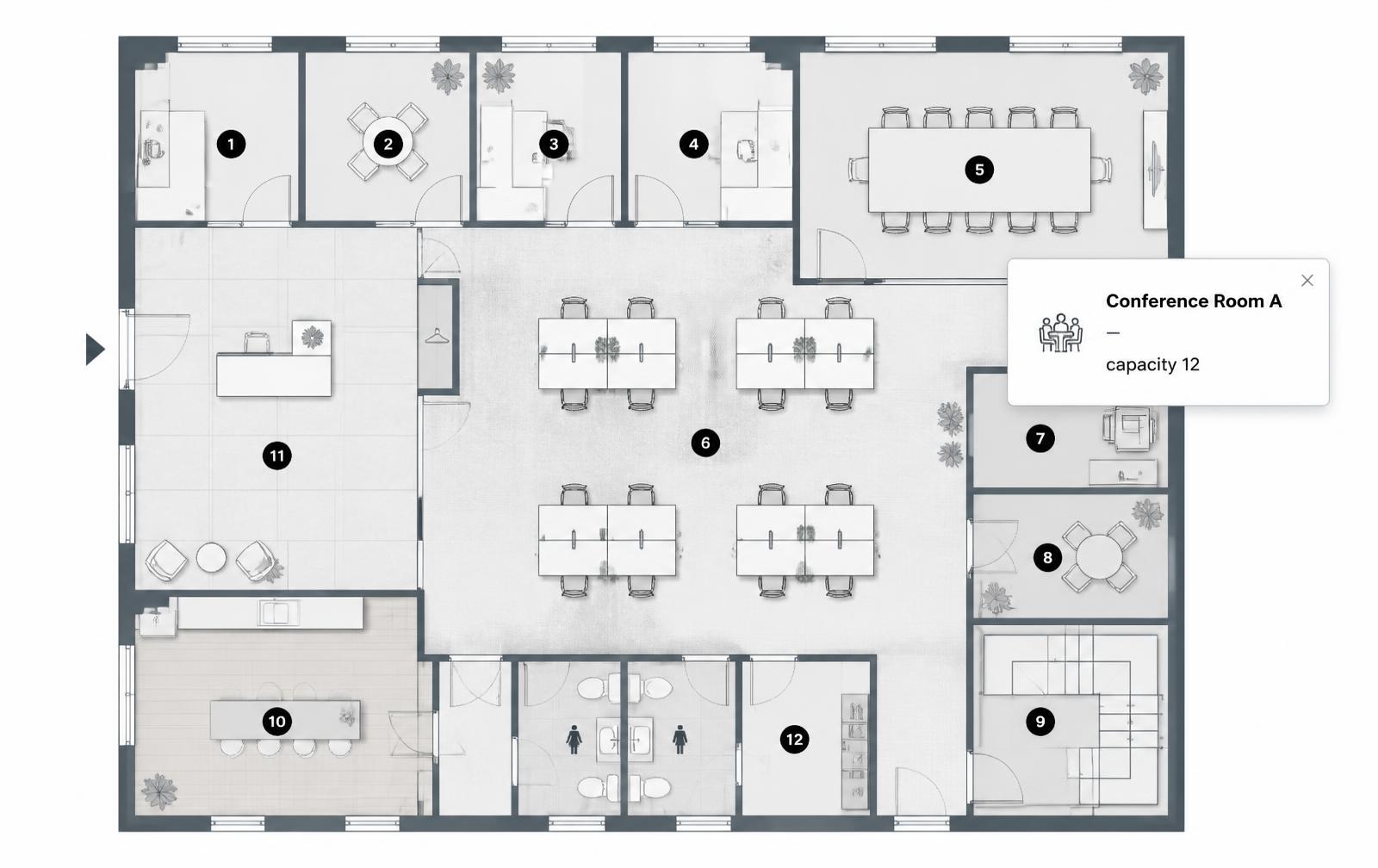
Add hotspots to a floor plan, a collection photo, or a single artwork so visitors can click through provenance, materials, and related pieces.
Free forever plan · No credit card · Works in Wix, Webflow, WordPress, Shopify, Squarespace
Gallery floor maps
Mark each room or exhibit case on a floor plan and show what's currently on view when a visitor clicks it.
Artwork detail callouts
Point to a specific brushstroke, restoration area, or detail within a single high-resolution image.
Provenance and credits
Attach artist bios, acquisition history, or donor credits to a hotspot instead of a cramped wall label.
What you get
- Works for floor maps, single artworks, or artifact photos
- Link hotspots to audio guide tracks or video content
- No app download — works from a QR code in any mobile browser
- Update current exhibits without reprinting a map
- Good for virtual collection pages as well as in-gallery use
- Popups can include credits, materials, and acquisition dates
What to write in each hotspot
| Use | Hotspot title | Popup content |
|---|---|---|
| Gallery map | Gallery 4 | Current exhibit title, dates, and a thumbnail |
| Single artwork | Restoration area | Technique used, year restored, before/after note |
| Provenance | Acquisition | Donor credit, acquisition year, prior owner |
| Audio link | Listen | CTA linking to the audio guide track |
Building a clickable gallery map
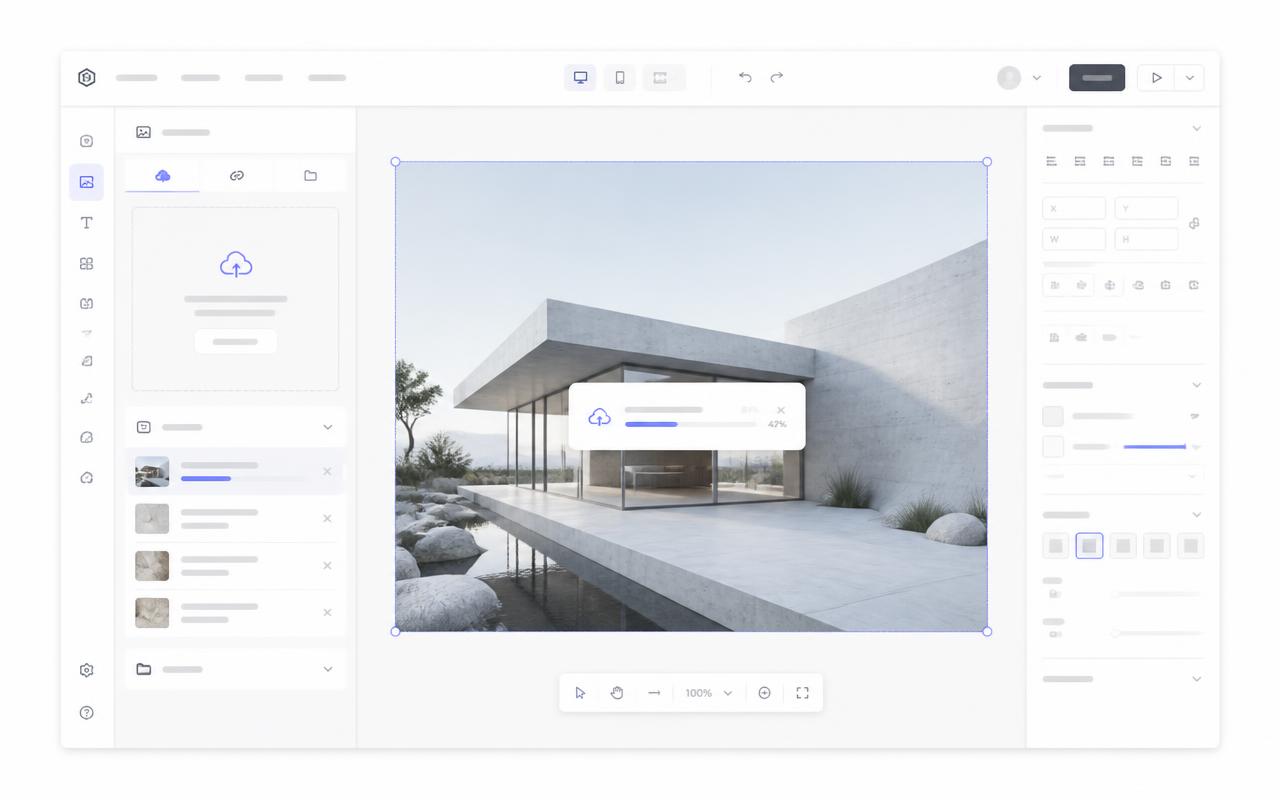
- Upload your floor plan or a high-resolution artwork scan to Interactive Image.
- Place a hotspot on each gallery, case, or detail worth calling out.
- Write a short label for each — artist, title, or what's currently on view in that room.
- Copy the embed and add it to your museum's website or a QR-linked mobile page.
- Swap out hotspot content as exhibits rotate, without touching the printed map.
Where visitors encounter it: on-site and on the website
On-site, a QR code near the entrance, on a case label, or in a printed gallery guide links straight to the embedded page — no app, just a mobile browser. On the museum's own website, the same map works as a standalone exhibit page or collection feature, giving remote visitors the same click-through experience someone gets standing in the gallery.
Mobile tap behavior and accessibility
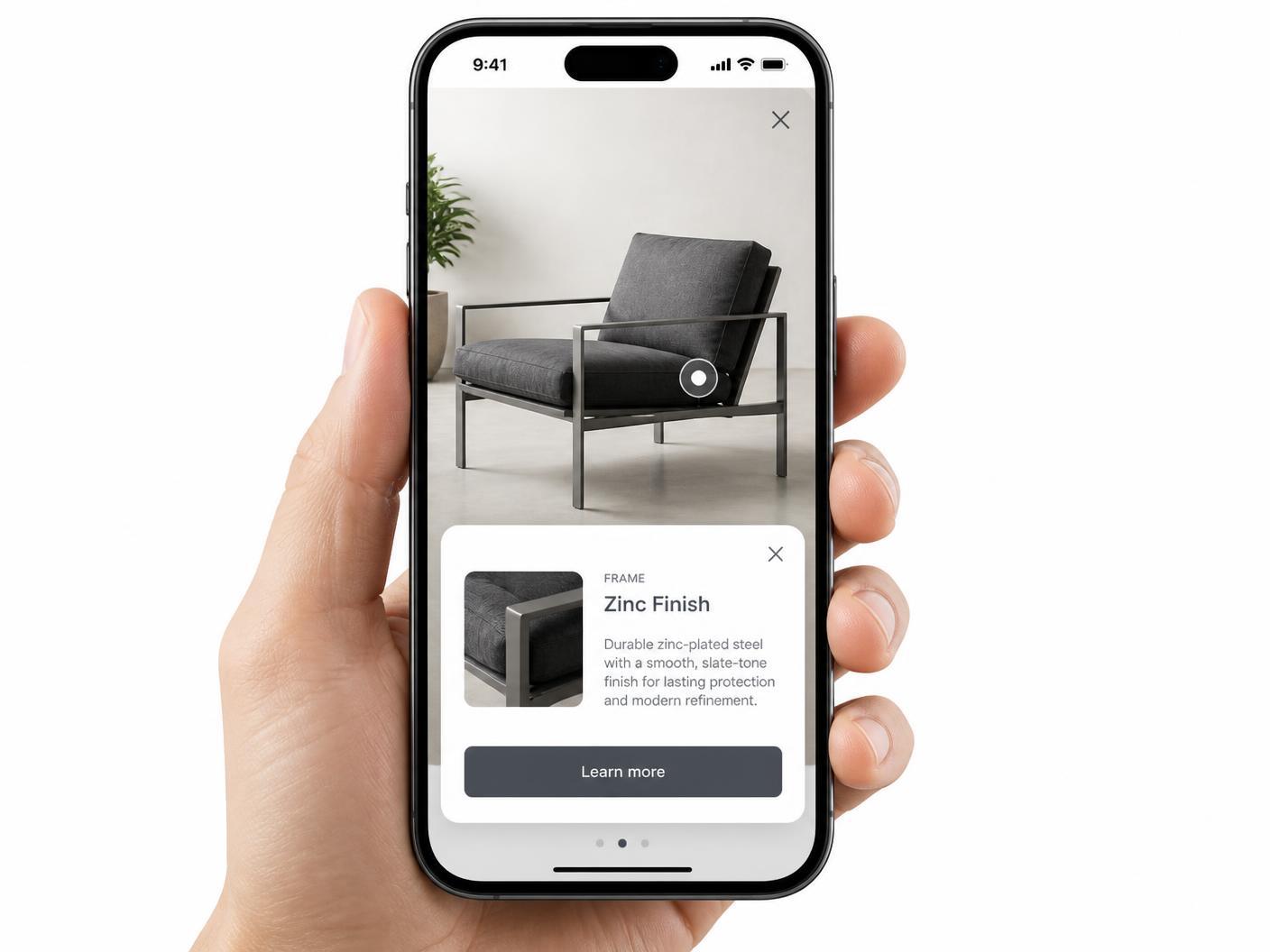
Hotspots become tap targets on a phone, opening a full-width card instead of a hover tooltip, so a visitor doesn't need to pinch-zoom to read a label — see hotspot alignment on mobile. Each hotspot is also keyboard-navigable with alt text, which matters both for on-site accessibility and for a visitor browsing the collection page with a screen reader from home — see image map accessibility.
Keeping the exhibit page indexable around the iframe
Wall labels have a hard character limit, and printed maps go out of date the moment an exhibit changes. A digital hotspot map solves both — but because the map itself is an iframe, search engines won't read its contents. List current exhibit names, gallery numbers, or artwork titles as plain text on the page around the embed so it still ranks for the exhibit someone is searching for. See what is an interactive image for the underlying concept, or browse examples.
Continue exploring
Need it built for you?
Big maps, bulk hotspots, custom designs or integrations, built by our team at Upcode.
Turn any image into a guided experience.
Free forever plan. Paste one iframe into your site and ship.
Create your interactive image